
Overview
This guide shows you how to remove a member’s profile photo from their client profile. This is useful when a member has uploaded an incorrect, inappropriate, or unclear image and you need to reset it.
Remove a Profile Photo
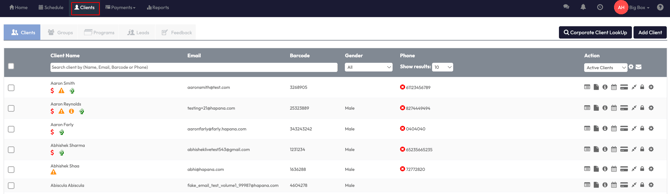
Step 1: Open the Client Profile
-
Navigate to Clients
-
Search for and select the relevant member
-
Open their Client Profile
Step 2: Remove the Photo
-
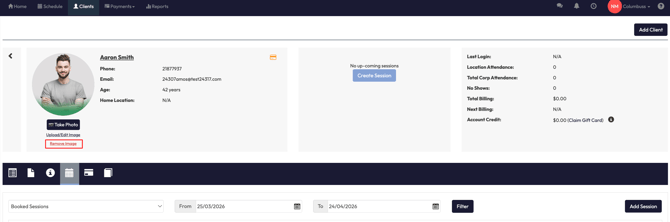
Locate the profile photo on the client profile at the top left
-
Click the Remove Image option
-
Review the confirmation message
-
Click Ok to confirm
Reach out to our support team via support@hapana.com