
Overview
The Client Retention Rate report shows how well your business is retaining clients over the past 6 months. It tracks how many clients stayed, how many new ones joined, and how many left.
This matters because retention is a key measure of business health, high retention means members are satisfied and engaged, while low retention can signal areas that need attention.
PrerequisitesBefore running this report, make sure you have:
-
Access to the Reports module in Hapana Core.
-
At least 6 months of client data for accurate trends.
-
Proper client statuses set up (Active vs Alumni).
Access the Client Retention Rate Report
1. Navigate to Reports
-
Log in to Core
-
Click Reports from the Navigation bar
-
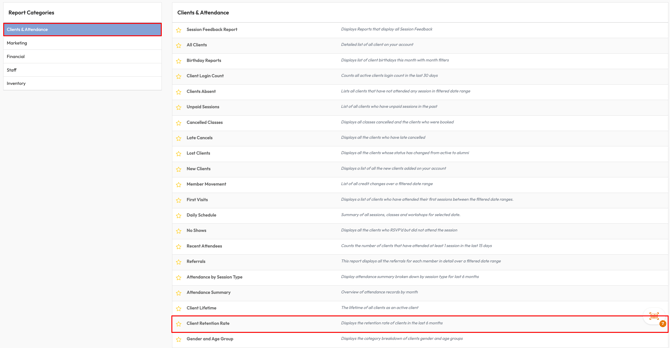
Within the Clients & Attendance Report Category, select Client Retention Rate
2. View Retention Trends
-
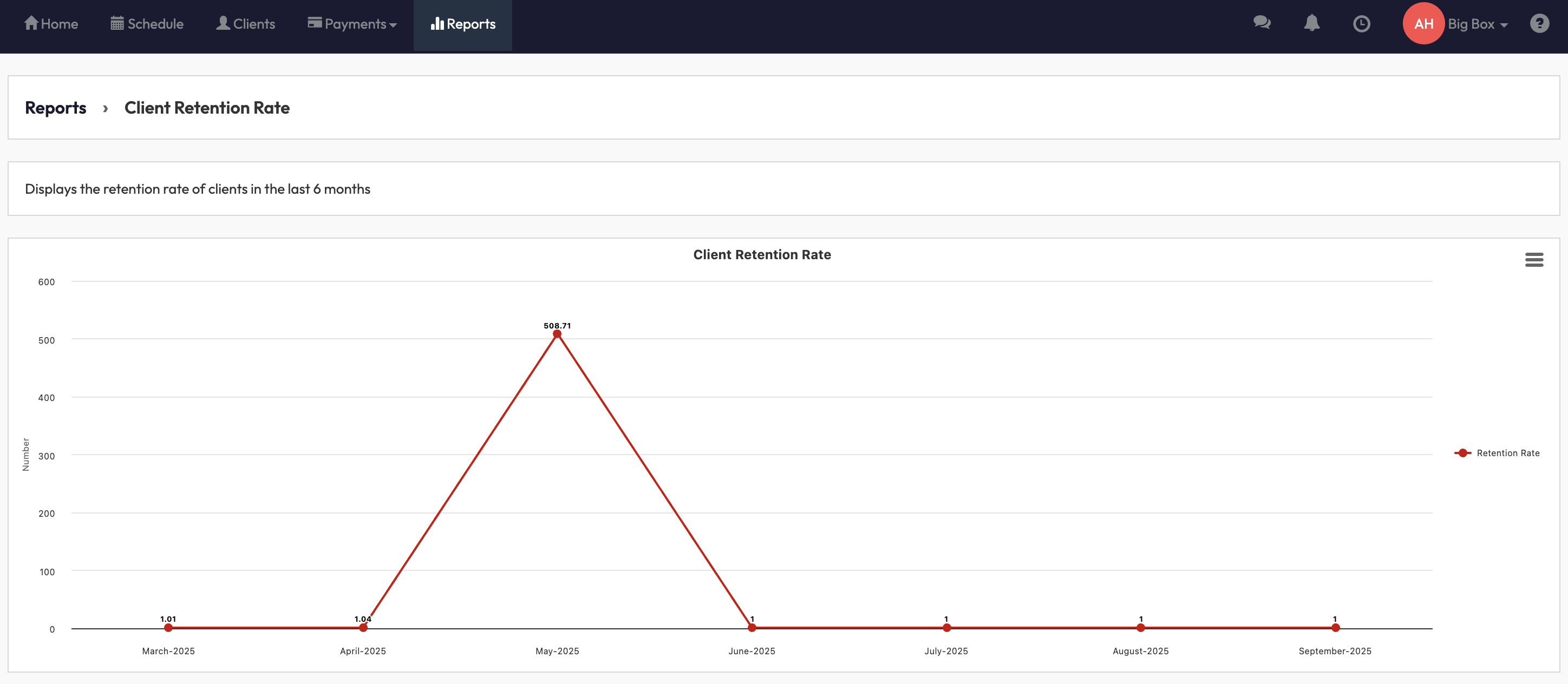
The chart automatically displays the last 6 months of data.
-
Review the X-axis (Months) for the timeframe and the Y-axis (Retention Rate %) for client retention levels.
-
The red line shows retention trends across the months.
3. Interpret the Data
-
High retention rate = most clients stayed.
-
Drop in retention = more clients left (moved to alumni status).
-
Spikes in new clients may offset losses, giving you a clear view of net growth or decline.
By running this report, you’ll understand how many clients your business is retaining month-over-month, helping you:
-
Identify strong retention months.
-
Spot patterns of client churn.
-
Make informed decisions about membership engagement strategies.
Q: Can I adjust the date range?
A: No, this report is fixed to the last 6 months.
Q: How is retention calculated?
A: Retention = (Starting Clients + New Clients – Lost Clients) ÷ Starting Clients.
Q: What counts as a “lost client”?
A: Any client whose status changes from Active to Alumni within the month.
Reach out to our support team via support@hapana.com if you need help.