
Overview
This article shows you how to control who can build brand-new session packages and memberships with a permission toggle. Switch that off for a team member, so those staff can only sell packages and memberships you've already set up, instead of creating custom ones at the point of sale. This keeps your pricing and package list consistent across the whole business.
Prerequisites
- Access to the Hapana dashboard with permission to manage Team Settings.
- At least one Administrator-type access group to apply this to.
- Good to know: if you also use Advanced Checkout, it works together with this setting to control what staff can do from the New Sale screen.
Step 1: Open the Access Tab for an Admin Type
- Log in to your Hapana Core account.
- Go to Team Settings.
- Select Team Access Group.
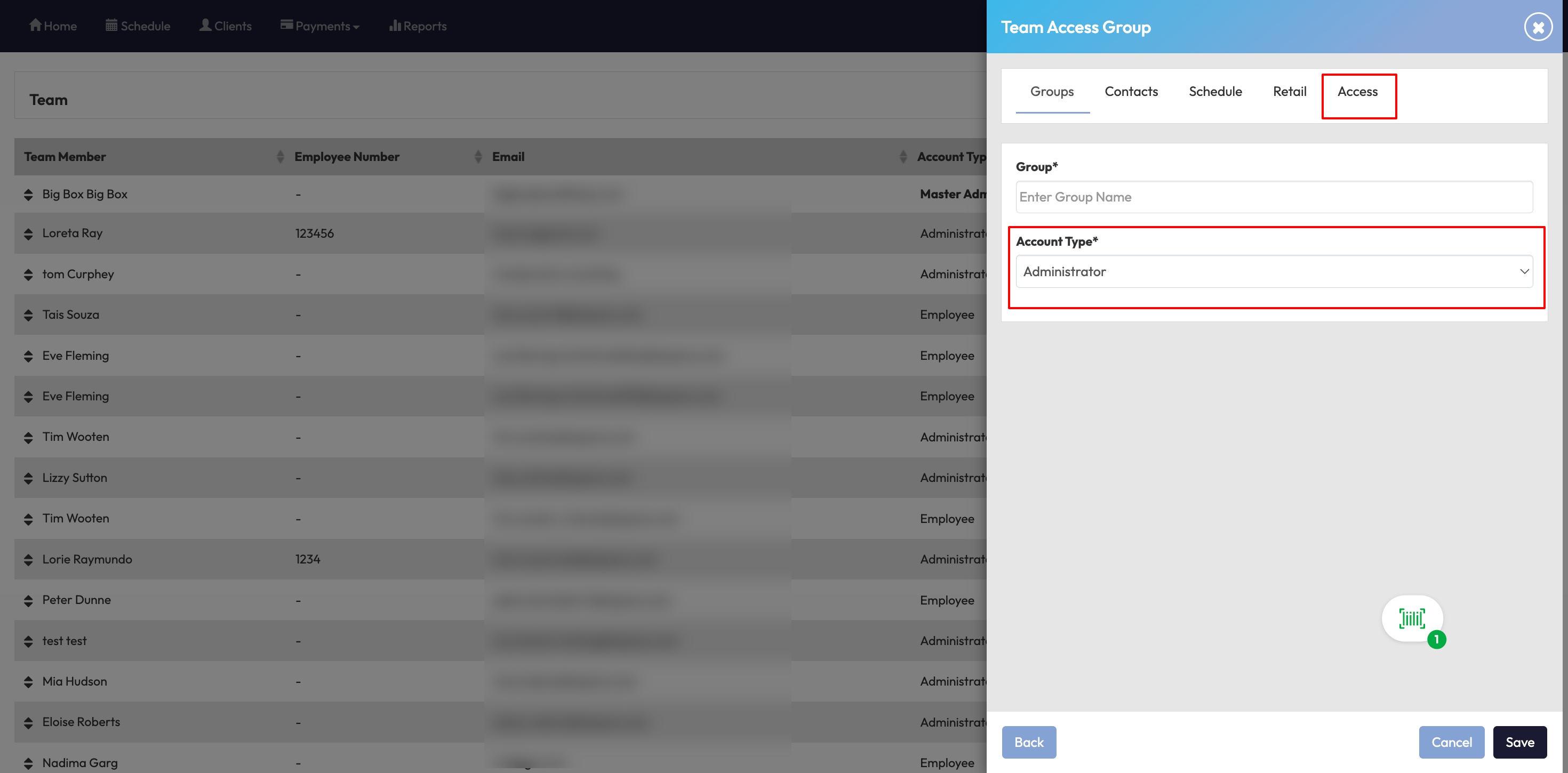
- Click 'Create a New Group' or edit an existing Administrator group you want to update.
- Select the AccountType as Administrator.
- Click the Access tab.
Step 2: Find the Toggle
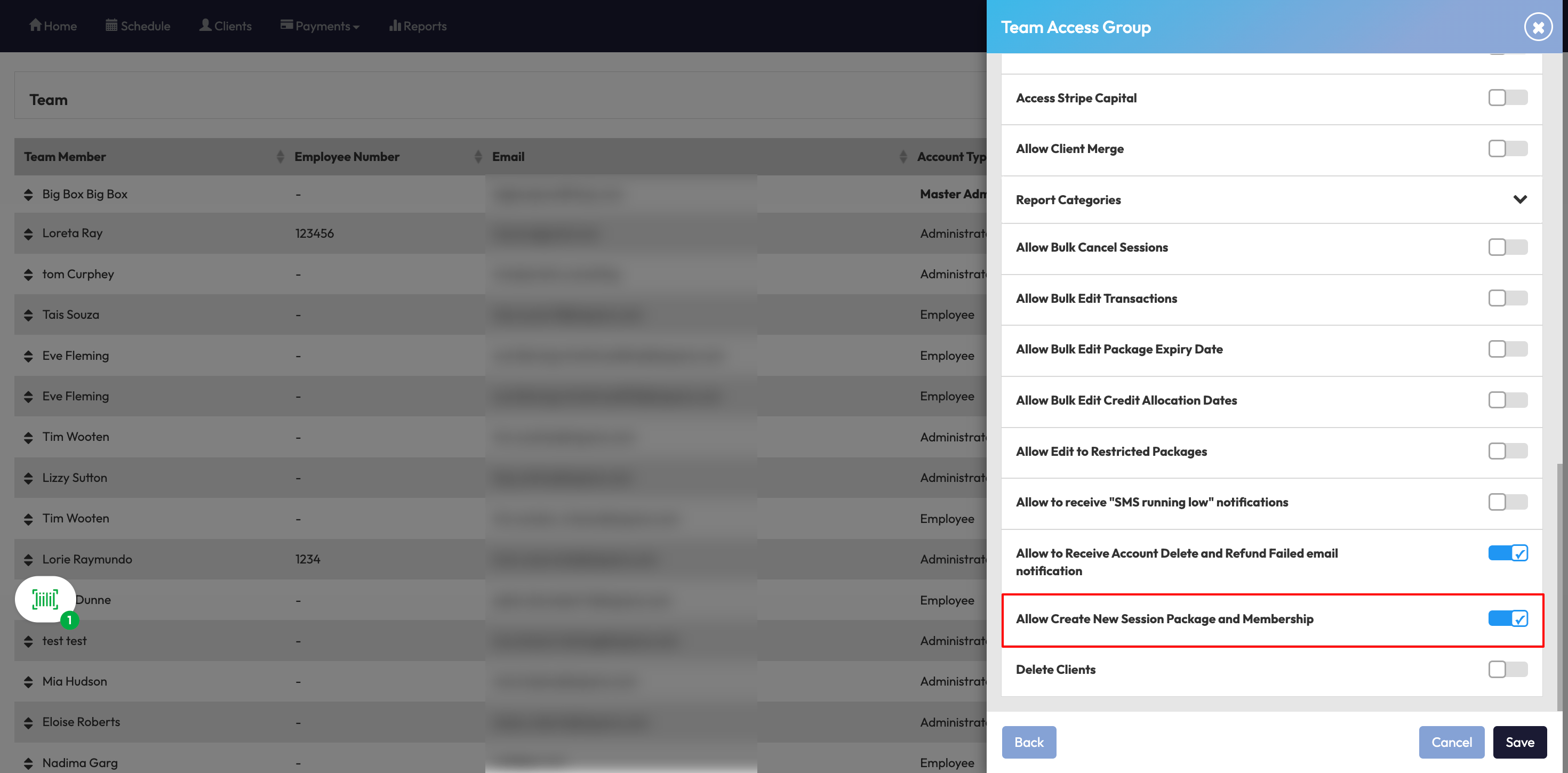
Under the Access tab, look for Allow Create New Session Package and Membership.
Step 3: Turn the Toggle On or Off
- Click the toggle to switch it ON or OFF.
- Click Save to apply the change.
When it's ON: Staff with this Admin type can:
-
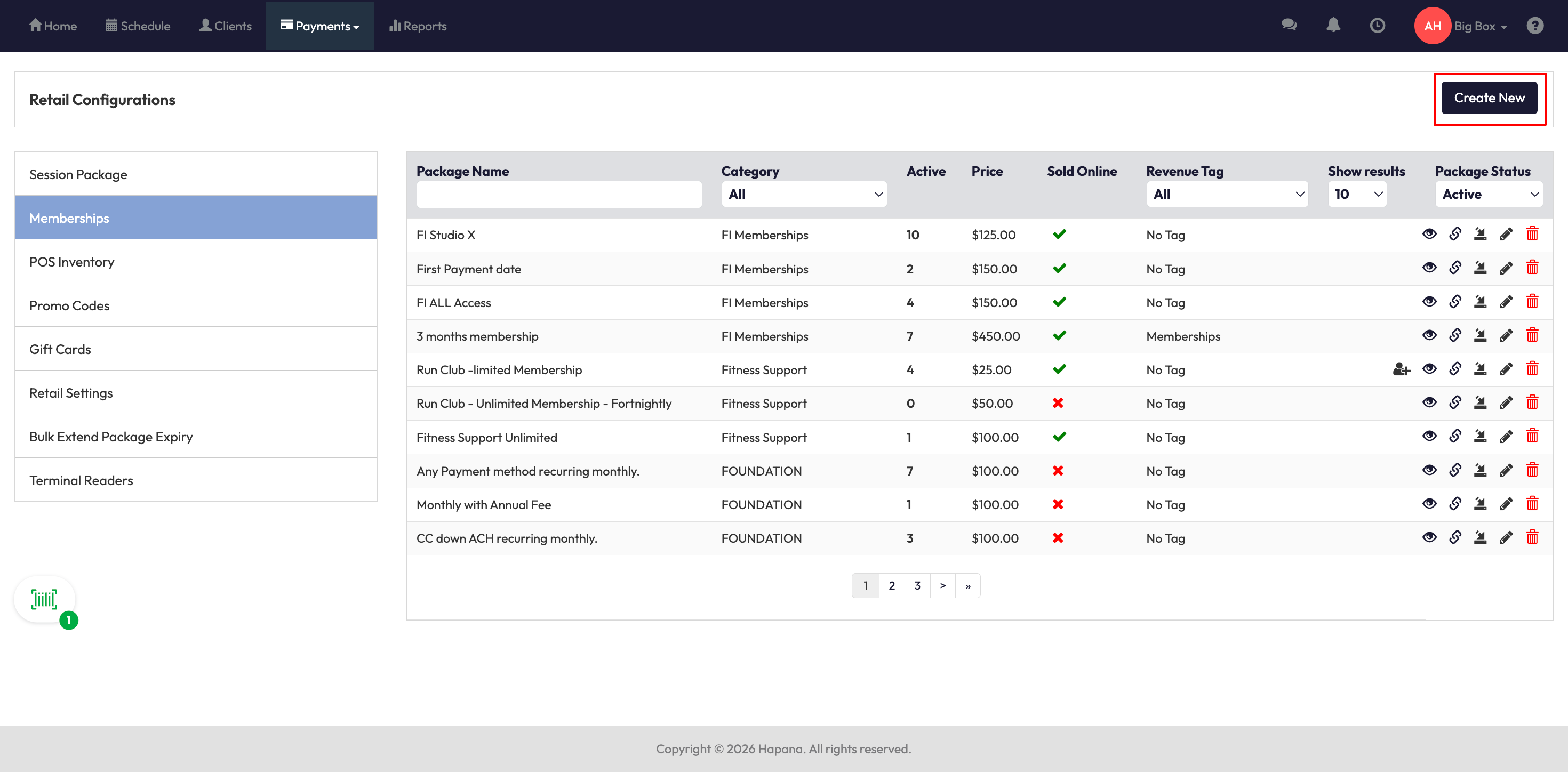
Click Create New within Payments > Retail Configuration > Session Package or Memberships to build new memberships and packages
-
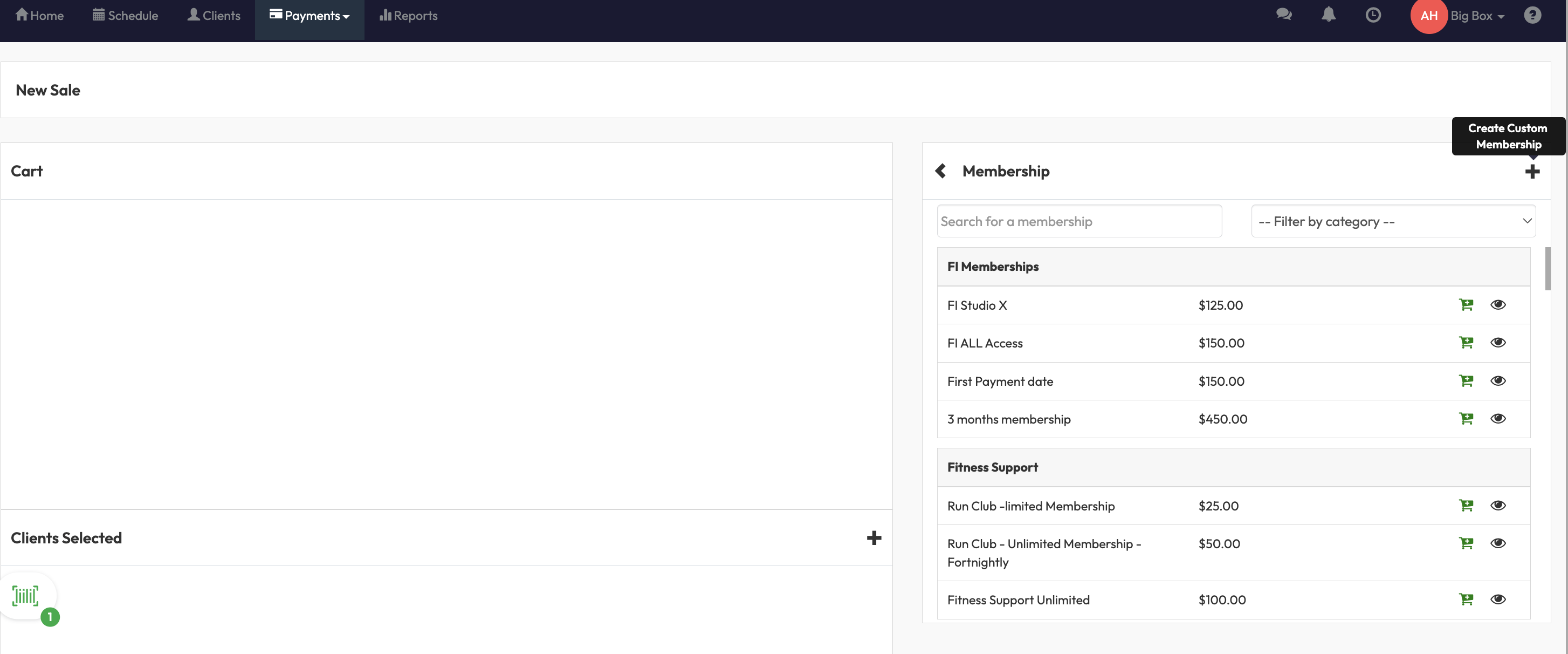
If theAdvanced Checkout permission is also turned on within Team Access Group > Retail, they can additionally create custom packages and memberships directly from the New Sale screen.
When it's OFF: the Create New button is greyed out within Payments > Retail Configuration, and staff can't create custom packages or memberships anywhere in Core including from New Sale or a client's record. They'll only be able to sell packages and memberships that are already set up.
|
Tip: If a staff member's account type changes from Administrator to Employee, they lose access to create custom packages and memberships either way. This toggle only applies to Administrator accounts. |
Expected Outcome
Once you've set this up, staff with the Administrator type will only be able to create new session packages and memberships if the toggle is ON. If it's OFF, they can only sell what's already configured in Retail Configuration - keeping your package list consistent across the whole team.
FAQ
Q: Does this affect Employee-type accounts too?
A: No, this toggle only applies to Administrator accounts. Employee accounts can't create custom packages or memberships regardless of this setting.
Q: What happens on the New Sale screen if I turn this off?
A: The option to build a custom package or membership on the spot disappears from New Sale and from a client's record. Staff can still sell any package or membership you've already set up in Retail Configuration.
Q: I have Advanced Checkout turned on - does that override this setting?
A: No. Both toggles need to be ON for staff to create custom packages or memberships from New Sale. If either one is OFF, that specific path is blocked, though staff can still create packages through Retail Configuration as long as this toggle is ON.